

Intro
Disclosure: This post is a paid partnership with Bluehost. I was paid to create this content, and I may earn a commission if you click my links. My impressions below come from my own hands-on test.
If you run a small business, your website has one job: make a stranger trust you enough to get in touch. The trouble is that most owners don’t have the time or budget for a web designer, and a half-finished site can hurt more than having none.
So I tested a faster route. Bluehost recently launched Bluehost AI Builder, a tool where you describe the website you need, refine it by chatting, and publish it live. To give it a fair test, I skipped the easy version and asked for a complete five-page site for a fictional consulting firm. Below is exactly what I typed, what I got back, and where I ran into trouble. The short version: the first draft was better than I expected, and the whole thing took under 10 minutes.
What is Bluehost AI Builder?
Bluehost AI Builder turns a one-sentence description of a website or web app into a working draft. You then refine it by chatting with the tool and publish it live. Bluehost positions it as free to start: $0 to start, no credit card, with paid plans from $20/mo.
The chat-based editing is the part that matters for busy business owners. Instead of dragging blocks around a template, you say what you want changed in plain language. Because it’s free to start with no credit card, you can run a real project through it before spending anything, which is exactly what I did.
My test: a five-page consulting site
I wanted a realistic test, not a toy example, so I gave the builder a detailed brief for a fictional US business consultancy, Nexora Consulting Group: five pages (Home, About, Services, Insights, Contact), a specific color palette, consultation booking CTAs, and working contact forms. Bluehost says a one-sentence description is enough to get started. I went further to see how the tool handles a full brief. I wrote the prompt with ChatGPT’s help, which is a quick way to get a detailed brief together.
Here is the exact prompt I typed:
Build a premium, modern, five-page website for Nexora Consulting Group, a US-based business consultancy. Target entrepreneurs, startups, executives, and established businesses. Showcase services including business strategy, growth advisory, operational optimization, leadership development, and business transformation. Use a sophisticated corporate aesthetic featuring deep navy (#101C2C), white, and champagne gold (#C5A46D). Combine elegant typography, professional photography, generous whitespace, and subtle animations. Create Home, About, Services, Insights, and Contact pages. Include compelling copy, clear navigation, consultation booking CTAs, functional contact forms, responsive layouts, and SEO optimization. Prioritize credibility, elegance, user experience, and lead generation.
[Screenshot 1: the prompt in the builder.]
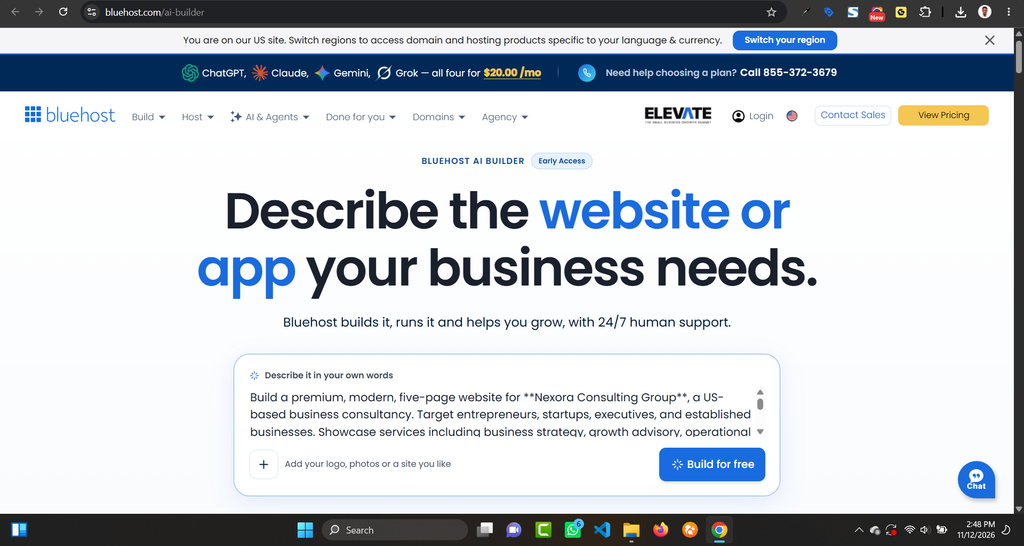
A prompt this detailed is a lot to ask of any tool, so I wasn’t sure what to expect. As it turned out, I didn’t need a second pass.
From first draft to live site
The first draft
After I submitted the prompt, the builder generated the full site within minutes. It built all five pages I asked for (Home, About, Services, Insights, and Contact), and each one had real content on it, not empty placeholders. The navy, white, and champagne gold palette from my brief came through closely, and the photography fit the consultancy theme. The overall result looked like a professional corporate site, not a rough template.
[Screenshot 2: the first draft.]
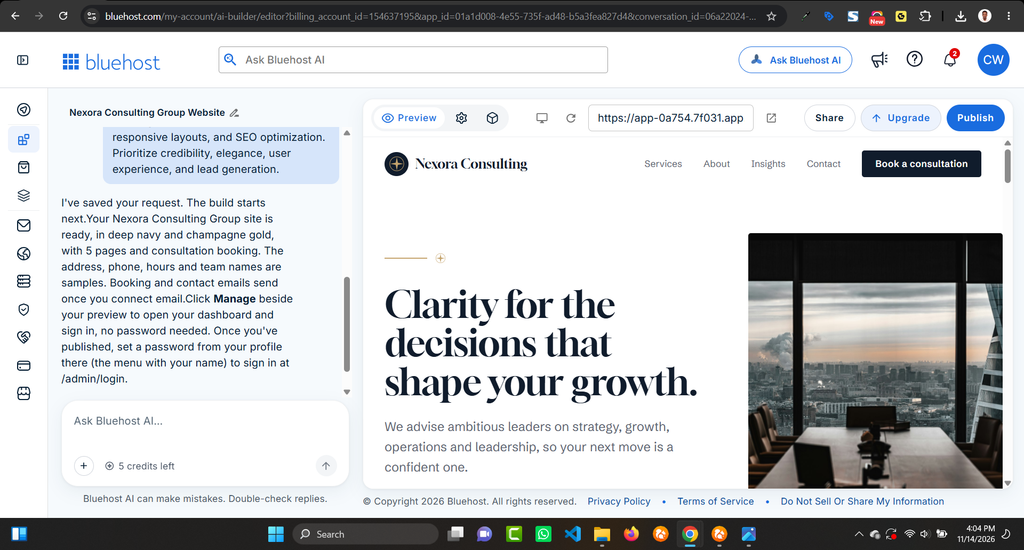
What impressed me most was how closely the result followed the brief: five pages, the exact color scheme, and fitting images, all from a single prompt. The one thing I’d still do before launching a real business site is read every line of copy and make sure it sounds like you, since that’s the part no tool can know for you.
Did I need to refine it?
Bluehost AI Builder lets you refine a site by chatting with it, but I didn’t use that step. The first draft was good enough that I published it exactly as it came out. I’d still expect most people to want a few tweaks to wording, images, or sections, and that’s where the chat editor should earn its keep. I just didn’t have to test it this time.
My advice if you try it: spend your time on the prompt up front. The more specific your brief is about pages, colors, audience, services, and calls to action, the less you should have to fix afterward. I had ChatGPT help me write mine, then pasted it in as written.
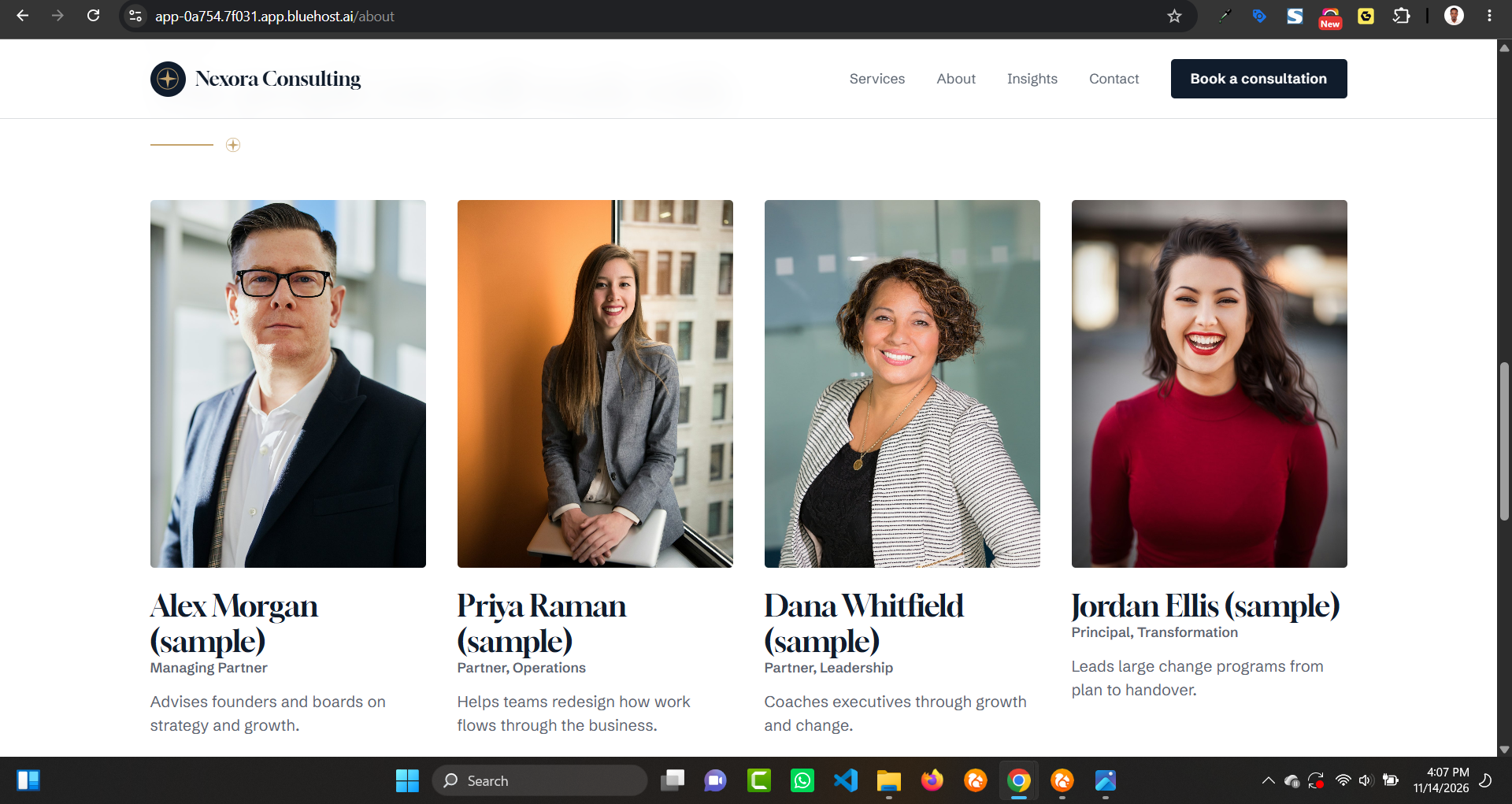
Screenshot 3: a section of the About Us page
Publishing
When I was happy with the site, I went to publish it and hit a snag at first. I hadn’t connected a domain yet, and I suspect that’s why publishing didn’t go through, though I can’t say for certain. Later, I realised The Free plan publishes on a Bluehost subdomain. Connecting your own domain requires a paid plan. Once it was live, I had a finished five-page site. The contact form and booking button look right, but I didn’t submit a test through them, and I didn’t check the phone layout, so do both before you send real visitors there.
[Screenshot 4: the published site.]
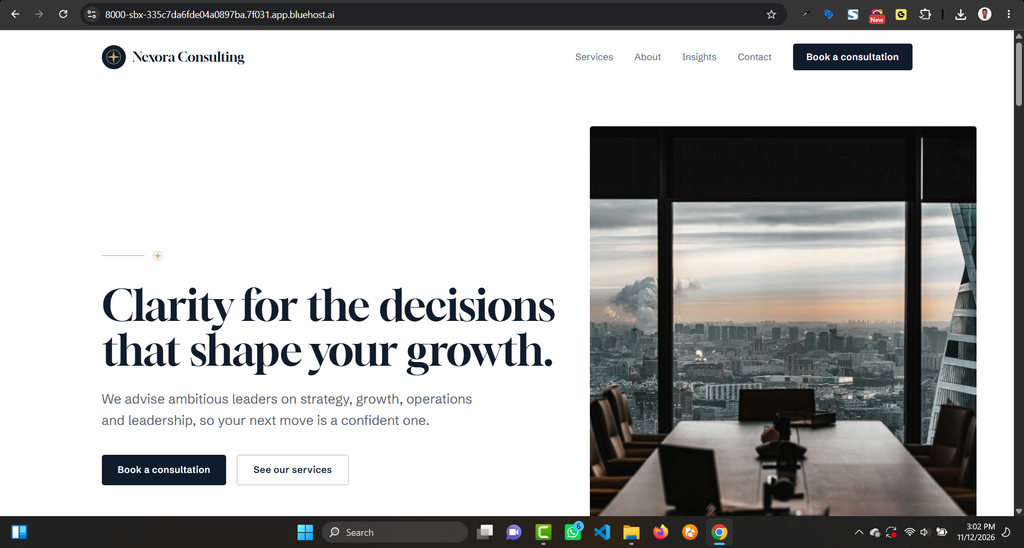
Total time from first prompt to live site: under 10 minutes.
What I liked and what could be better
What worked well
- Speed: a complete five-page site in under 10 minutes, from a single prompt
- Fidelity to the brief: all five pages, the navy, white, and champagne gold palette, and fitting photography
- A strong first draft: I published it without making a single edit
What could be better
- Publishing was bumpy at first.
- Forms and mobile still need your own check: I didn’t test the contact form or booking button, or the phone layout, so do that before sending real traffic
Who should use the Bluehost AI Builder
Bluehost AI Builder suits small business owners who need a credible site fast and would rather describe it than design it. That includes consultants, coaches, and other service businesses that mainly need clear pages and a way for people to get in touch. If you need a complex online store or heavy custom functionality, I can’t speak to that from this test, so try the free tier first and see.
Verdict
My verdict: Bluehost AI Builder gives you a strong first draft fast. I went from one prompt to a polished five-page site in under 10 minutes and published it without editing a thing. The publishing snag and the untested forms are reminders to run a quick check before you rely on the site for leads. Bluehost AI Builder is $0 to start, no credit card, with paid plans from $20/mo, so you can try it with a real project before committing anything.
Paid partnership with Bluehost.